Troubleshooting
-
Echo keeps closing when you launch it
Try these solutions in order:
- Restart your headset.
- Open the installer and check whether the
_datafolder is present.
If game data is missing, the installer will show this:
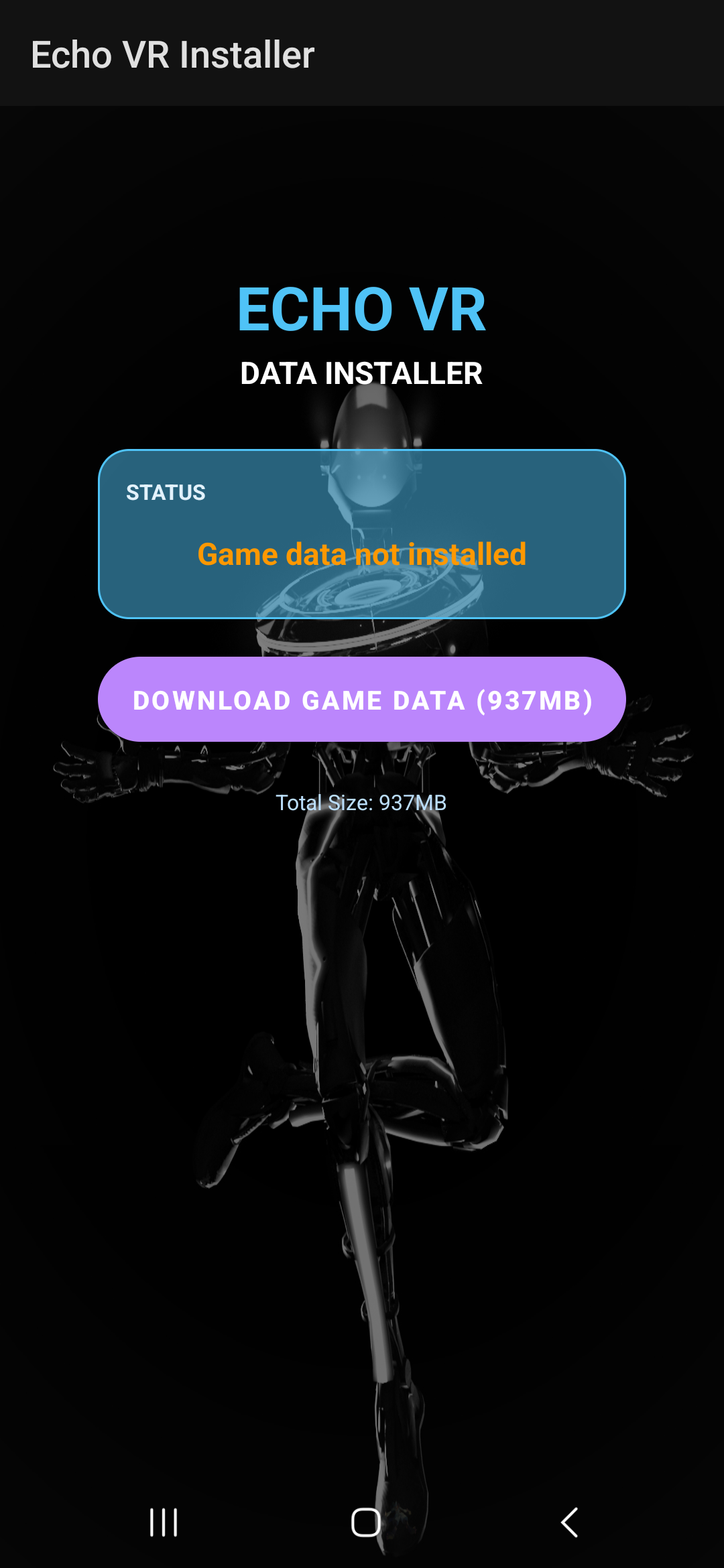
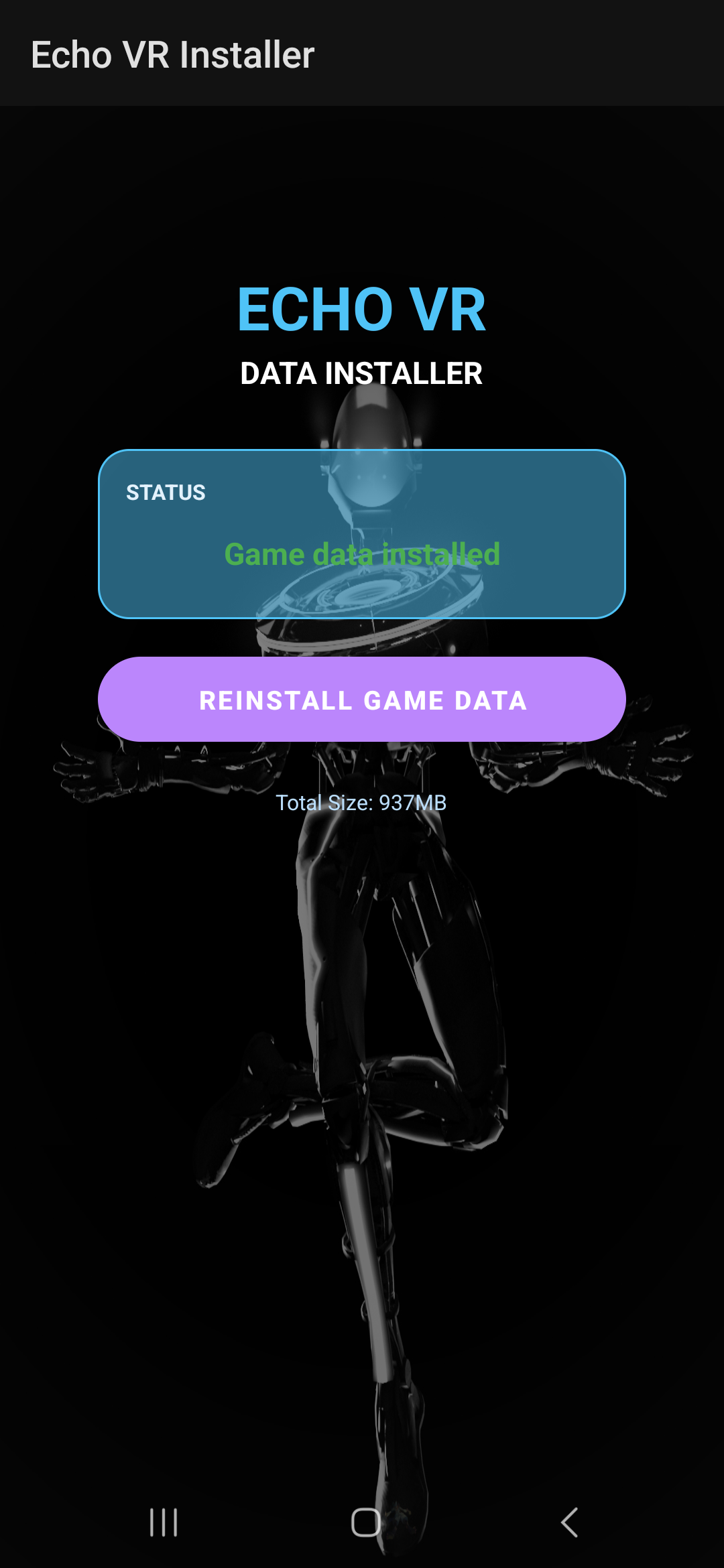
Press Download Game Data. After a successful download, it should look like this:
- Reinstall the game.
- Try the New Player method, even if you are a legacy player.
- As a last resort, factory reset your headset. Back up your data before continuing.
-
Problem parsing the package
Watch the video below for the package parsing workaround.
-
Package Invalid
Uninstall Echo VR.
-
No DMs from EchoVRCE or Patcher Bot
- Check that Direct Messages are enabled for the relevant Discord server.
- Check your other Discord accounts for DMs.
- Unlink other Discord accounts from the headset if needed.
- Raise a support case if you cannot access an alternative account.
-
Still not working?
Uninstall Echo, then clear the cache. Power off your headset and wait 30 seconds.
Turn it back on, then use the installer with the New Player method.
If installation continues to fail, use the PC method in the Echo VR Lounge.